
Know what is left in your craft studio and explain every change.
Craft Inventory Tracker is an English offline HTML application for materials and finished products. Extract the ZIP on your computer, open the tool in a tested desktop browser, and keep explicit JSON backups. No account or subscription is required to use the downloaded tool.
WHAT YOU CAN DO
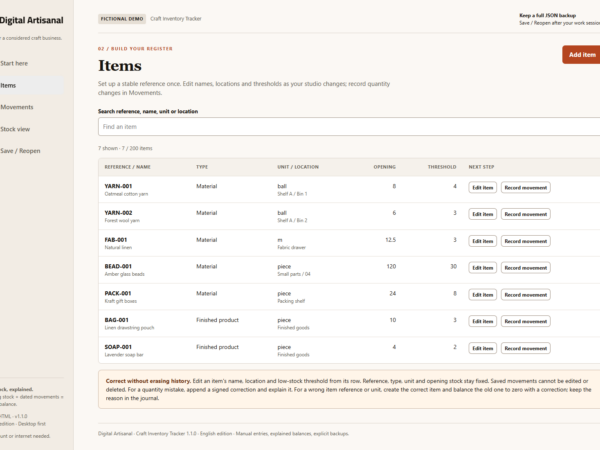
- Add items with a stable reference, material/product type, name, fixed unit, location, opening stock and low-stock threshold.
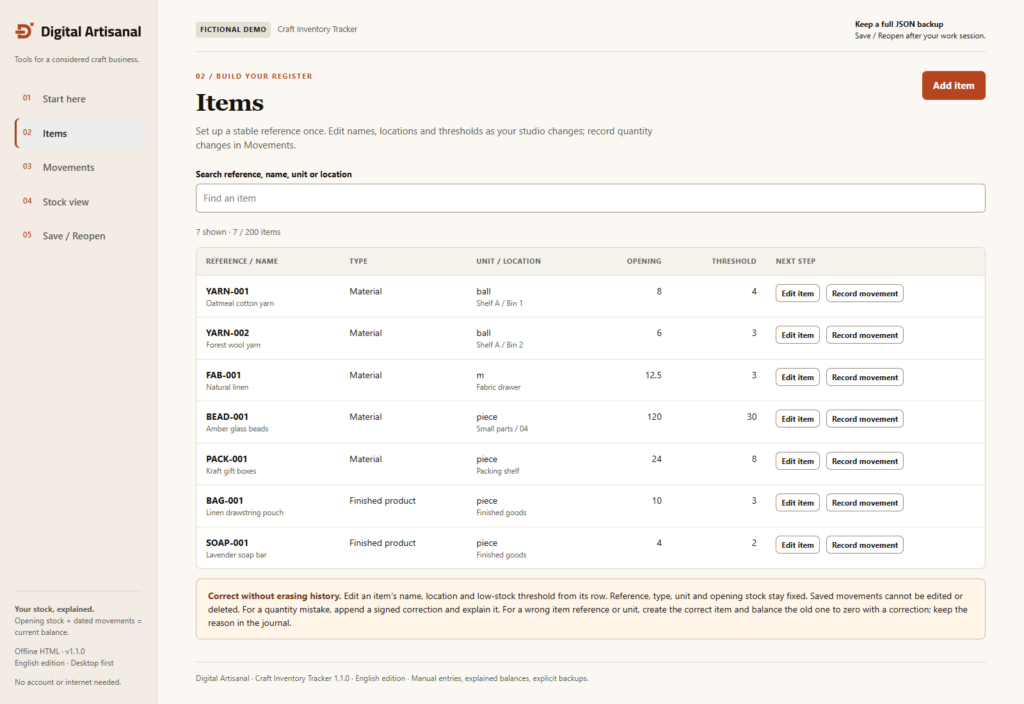
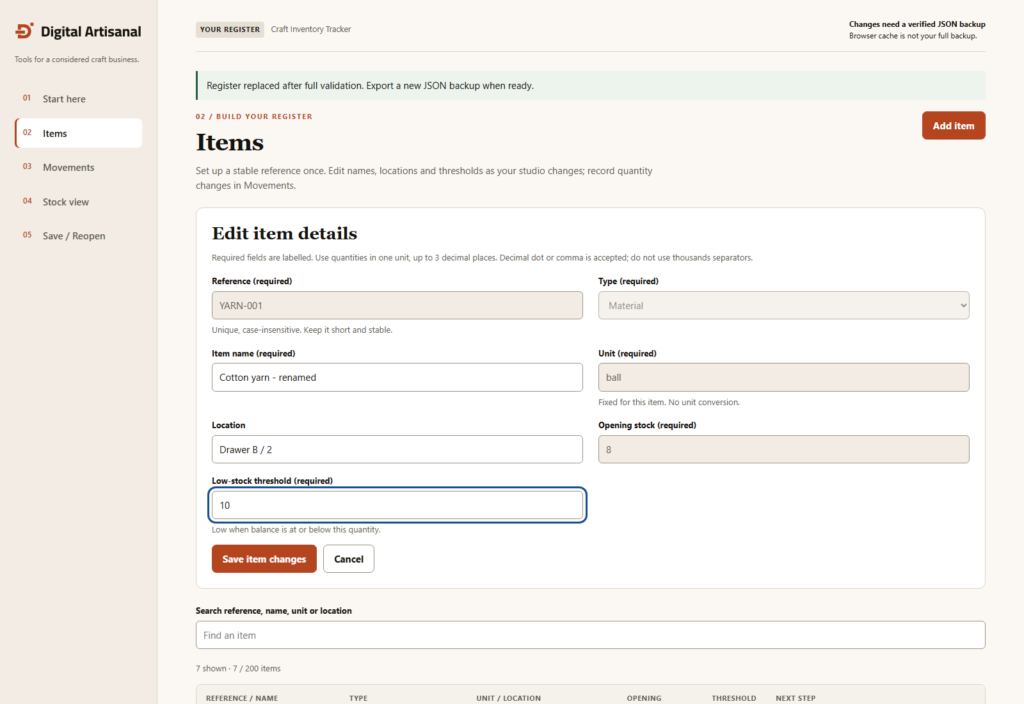
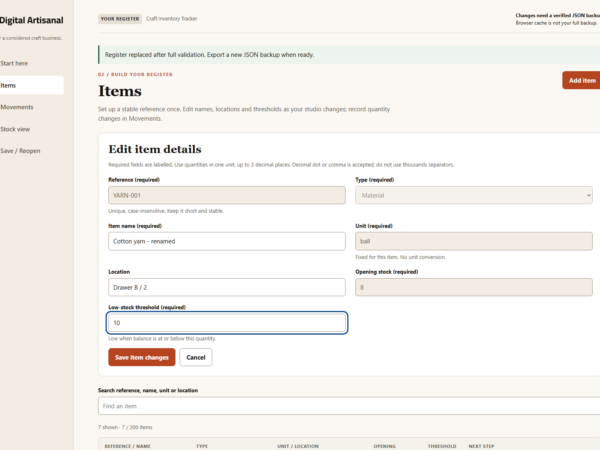
- Edit an existing item’s name, location and threshold. Save validated changes or cancel without changing saved data. Reference, type, unit, opening quantity and recorded movements remain stable.
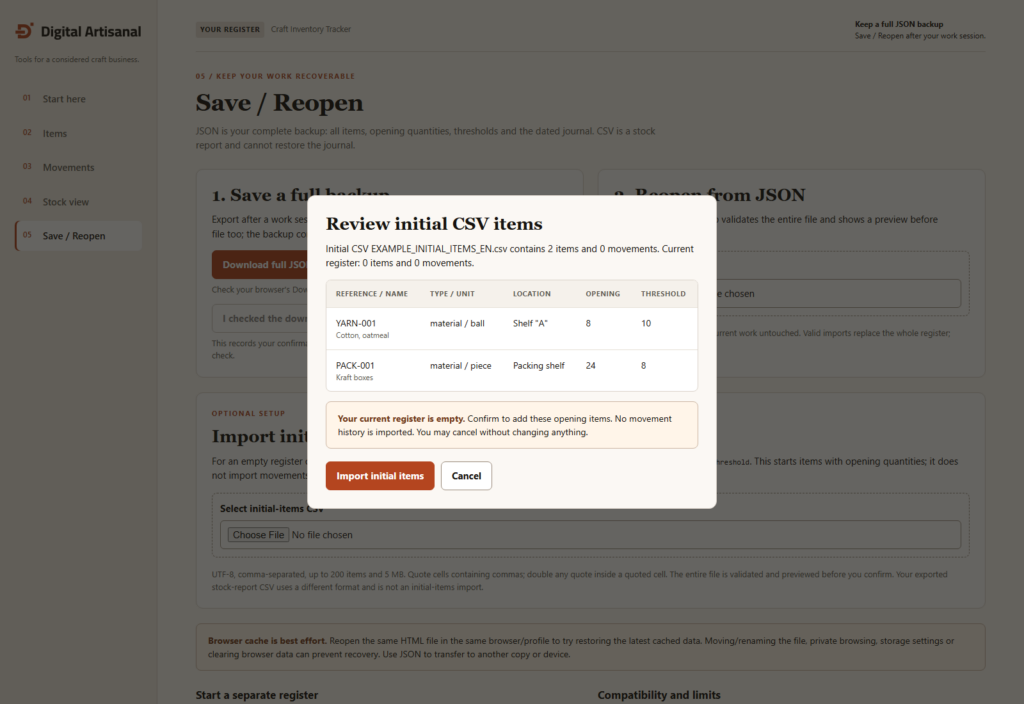
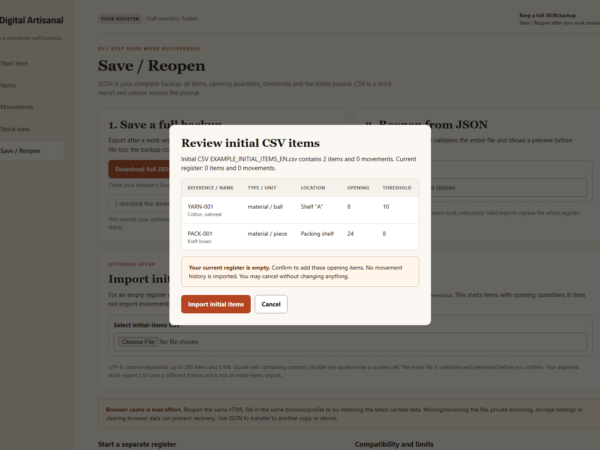
- Begin an empty register from a UTF-8 initial-items CSV, with a validated preview and confirmation. A template and fictional CSV example are included. This does not merge inventories or import movements.
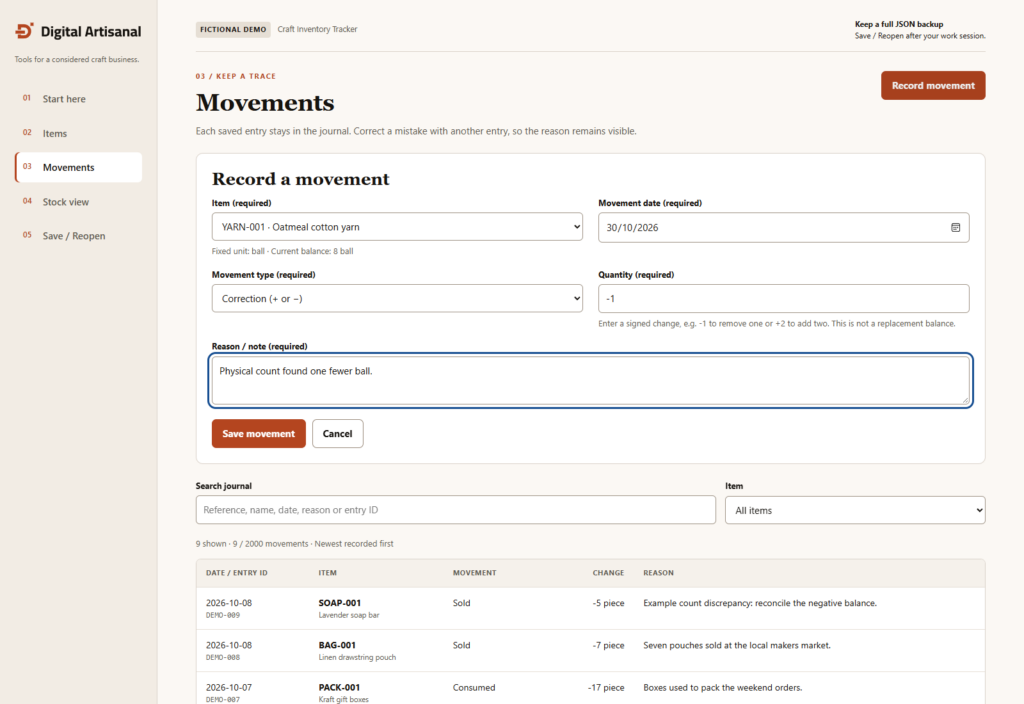
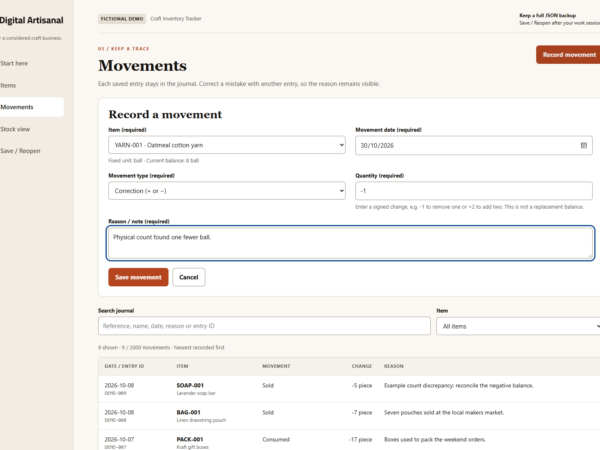
- Record dated receipts, consumption, sales, losses and signed corrections, each with a reason.
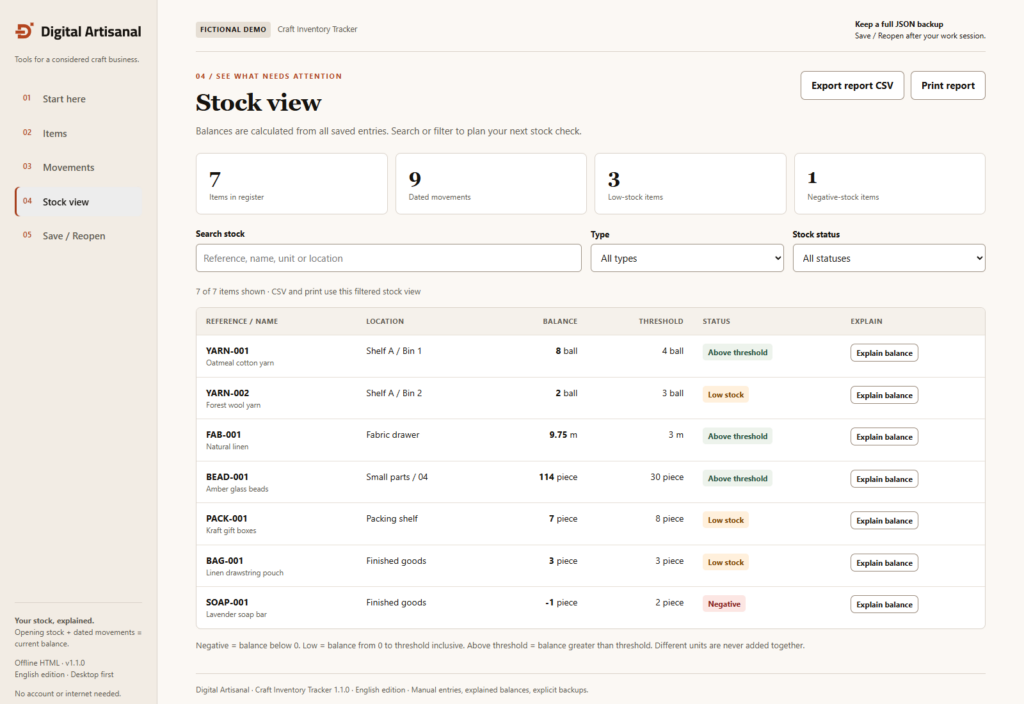
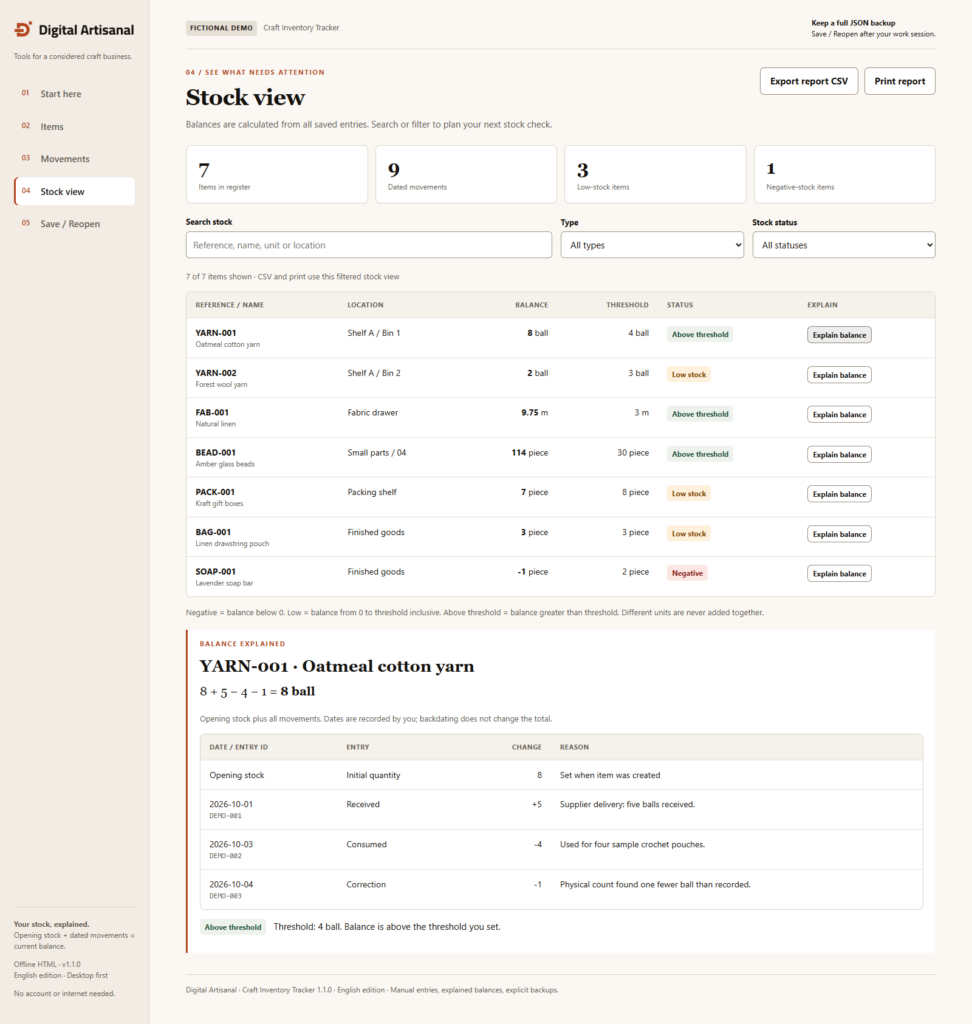
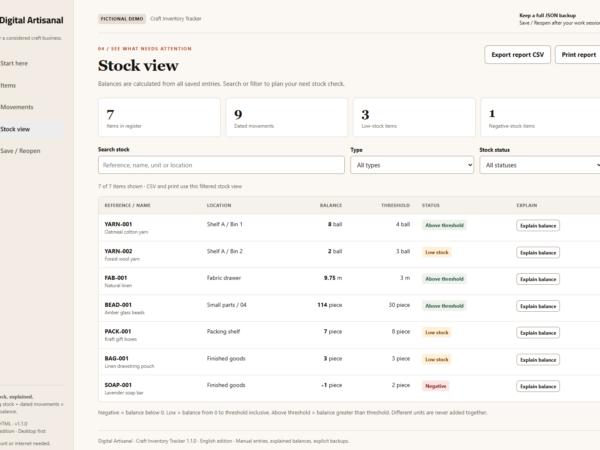
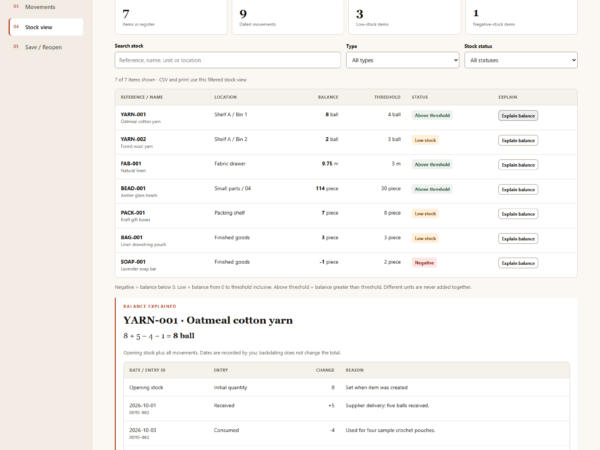
- Read calculated stock balances, low-stock and negative-stock warnings, and the entries behind each balance.
- Search, filter, export a stock-report CSV, print a report, or export and reopen the complete JSON backup.
A FICTIONAL EXAMPLE YOU CAN CHECK
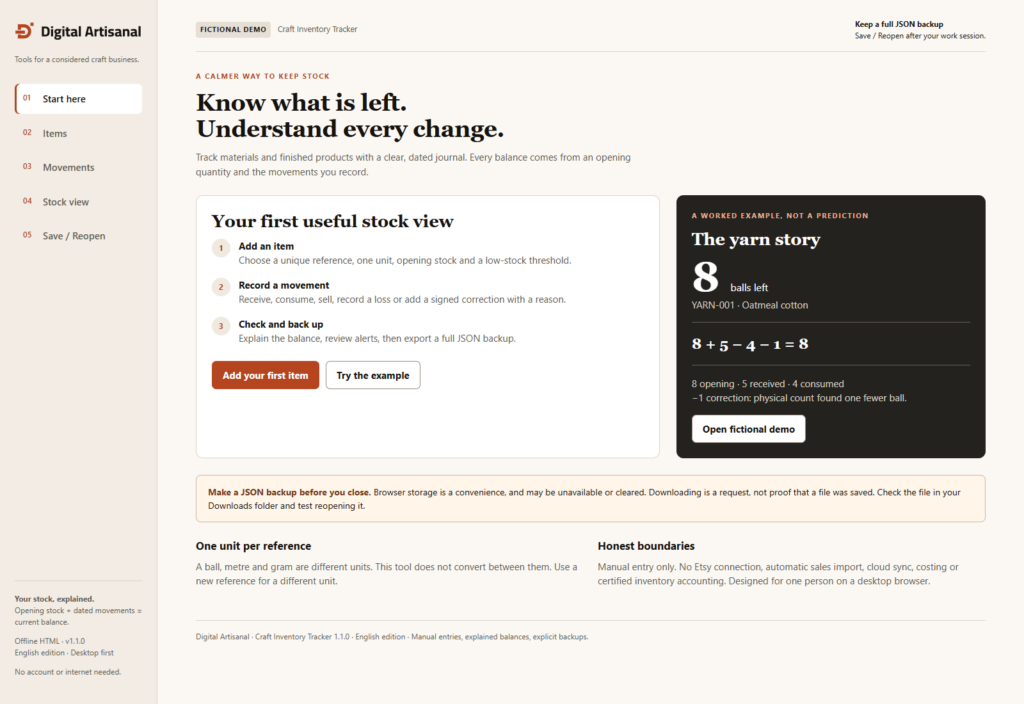
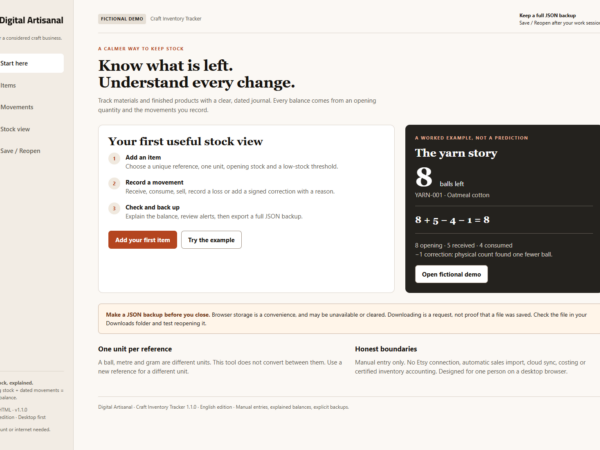
8 balls of yarn + 5 received – 4 consumed – 1 signed correction = 8 balls. Renaming or relocating that item does not change its stock or journal. At threshold 10, the balance 8 is Low stock; at threshold 7, Above threshold; at threshold 8, Low stock again. Negative balances use a separate Negative label.
WEBSITE ACCESS
After payment confirmation, retrieve the single WEB ZIP from your Digital Artisanal account or order confirmation. Save and fully extract it. START_HERE_EN.pdf and all other guides are inside this ZIP; no separate PDF download is needed. The application runs offline after download.
WHAT IS INCLUDED
One ZIP containing:
- A blank English HTML application and a separate fictional demonstration.
- Blank and fictional-example JSON backups.
- START_HERE_EN.pdf and an illustrated English guide.
- INITIAL_ITEMS_TEMPLATE_EN.csv and EXAMPLE_INITIAL_ITEMS_EN.csv for initial item loading.
- A4 and US Letter manual stock-check worksheets. These are static paper worksheets; print a current stock report from the tool.
- English business-use license, compatibility/limits notes, README and changelog.
SAVE AND REOPEN
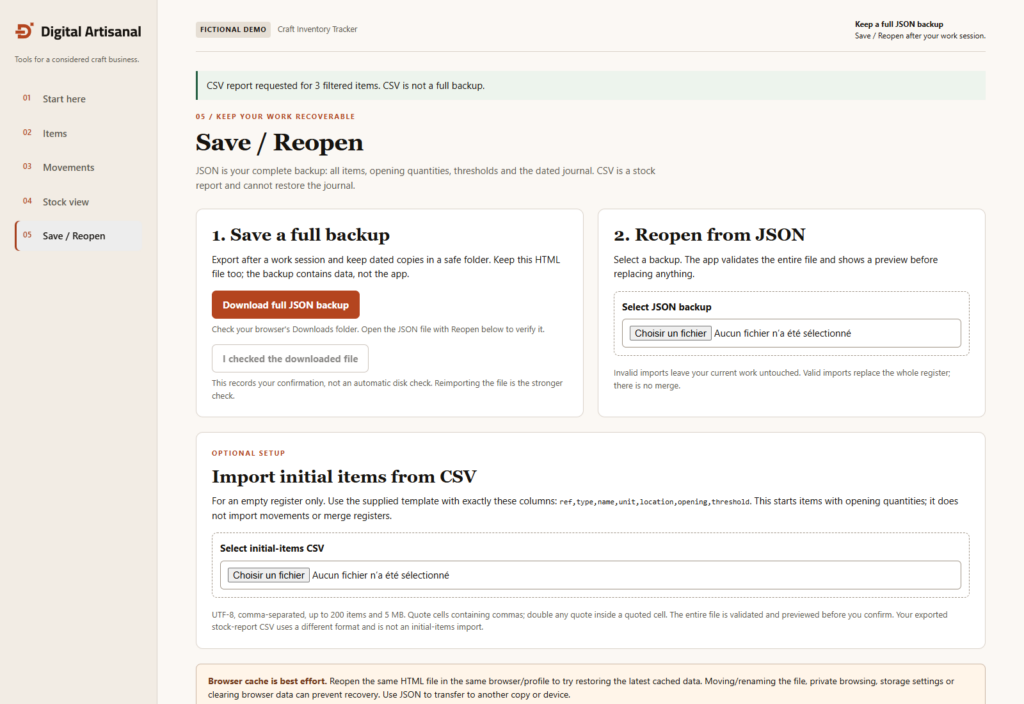
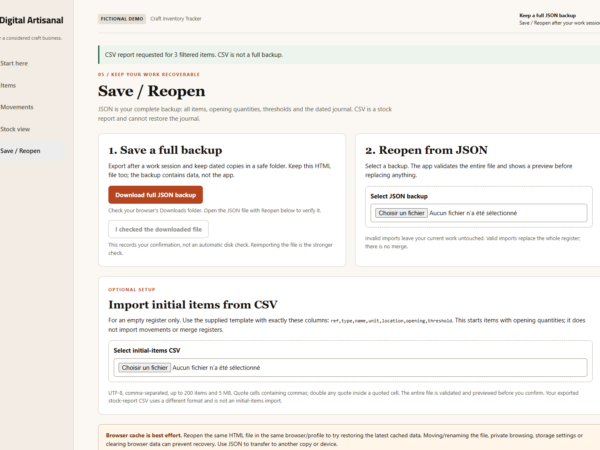
Export JSON after each work session. Locate the completed download, keep dated copies and test reopening it in a clean app copy. The browser cache can be unavailable or cleared and is not a backup. A download request does not prove the file was saved. JSON import validates before replacing your register and asks for confirmation; export current work first. Invalid imports do not replace it. CSV reports cannot restore the complete journal.
Version 1.1.0 reads original 1.0.0 and 1.1.0 JSON backups. Keep old originals. New exports use version 1.1.0 and should be reopened in this edition; backward opening in 1.0.0 is not supported.
INITIAL CSV AND EDITING RULES
The initial CSV must use exactly these headers in order: ref,type,name,unit,location,opening,threshold. It is available only when there are zero items and zero movements. Use UTF-8, comma-separated columns, valid item types, unique references and nonnegative opening quantities/thresholds. Up to 200 items and 5 MB. Quoted cells support commas; decimal commas must be quoted. Preview all rows, then import or cancel. No merge, movement import or updating existing items from CSV is included. The exported stock-report CSV has different columns and is not an initial-import file.
Metadata edits update the current name, location and threshold in views and reports. They do not keep a separate history of prior names or locations. Saved movements remain in the journal; correct quantity mistakes with dated, explained signed corrections. References, type, unit and opening stock cannot be edited. One fixed unit per item; quantities are not converted.
REQUIREMENTS AND SCOPE
Use a Windows computer, ZIP extraction and a PDF reader. The workflow and 200-item/2,000-movement capacity were tested automatically in installed Microsoft Edge 156.0.4314.50 and Chromium 156.0.8078.4 on local files offline. JavaScript and file downloads must be enabled. See COMPATIBILITY_EN.txt for the exact test scope. Capacity: 200 items and 2,000 movements per register. Phone/tablet workflows and untested browser/OS combinations are outside the supported workflow. Enter external sales and other stock events yourself. No Etsy connection, automatic external-order deduction, inventory valuation, automated purchasing, barcode scanning or certified accounting is included. Use one window per register; details and recovery limits are in the guide.
LANGUAGE, LICENSE AND HELP
All downloaded files, interface and guides are English. The French page translation describes this English edition; it does not include French files. The license permits internal use and adaptation for the buyer’s own business, with copies/backups and staff use for that same business. No resale, redistribution, PLR or MRR. Help covers access, opening and advertised functions; customization, migration, tax advice and lifetime support are not included. For access or advertised-function help, use help in your Digital Artisanal account or the website Contact page. Give the version, browser and fictional reproduction steps.
CREATION AND VALIDATION
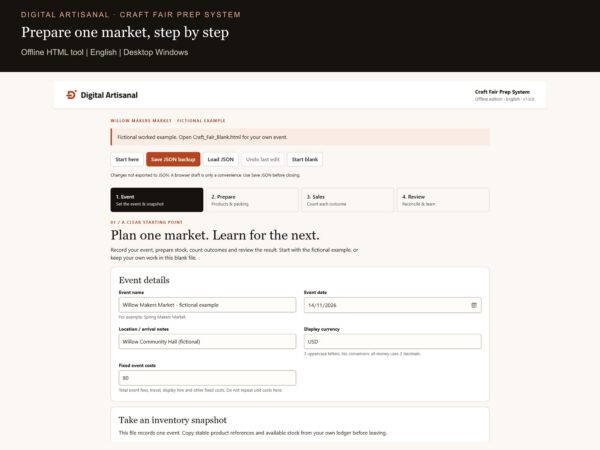
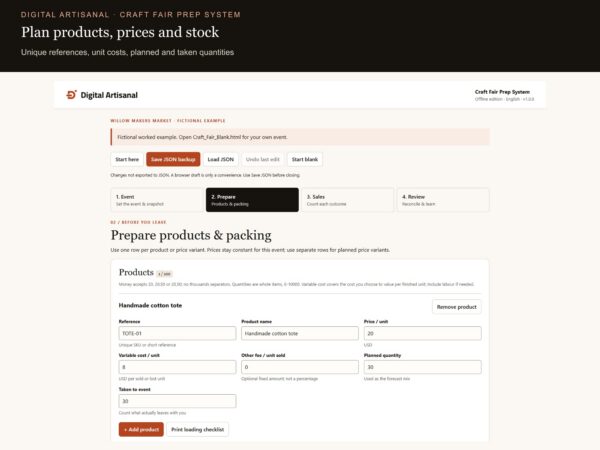
Digital Artisanal developed the tool and documentation with assistance from OpenAI Codex for software, writing and checks. Previews show the actual tool with fictional data. Technical tests and agent reviews are separate from customer usability testing, which has not been performed. No time saving, sales or business outcome is guaranteed.
Digital download only. No physical item is shipped.